🏄 Beach play
The beach is the biggest part of the game: a sunny 3D bay with sand, an umbrella, gentle waves and the open sea. Lily arrives in whatever swimsuit she chose in the wardrobe, and from there it's up to your child.
Things to do at the beach
Swimming
Press and hold on the sea and Lily swims toward your finger or mouse; drag while holding to steer, and let go to float and look around. There are two swimming styles to switch between — a relaxed head-up float and a head-up freestyle stroke — and the camera follows her gently so she never swims out of view.
Surfing
Grab the surfboard and wait for a wave rolling toward the shore. On a phone or tablet, tap or hold to catch it; on a computer the Space key works too. Riding a wave all the way in is the moment most children want to show a grown-up.
The duck boat
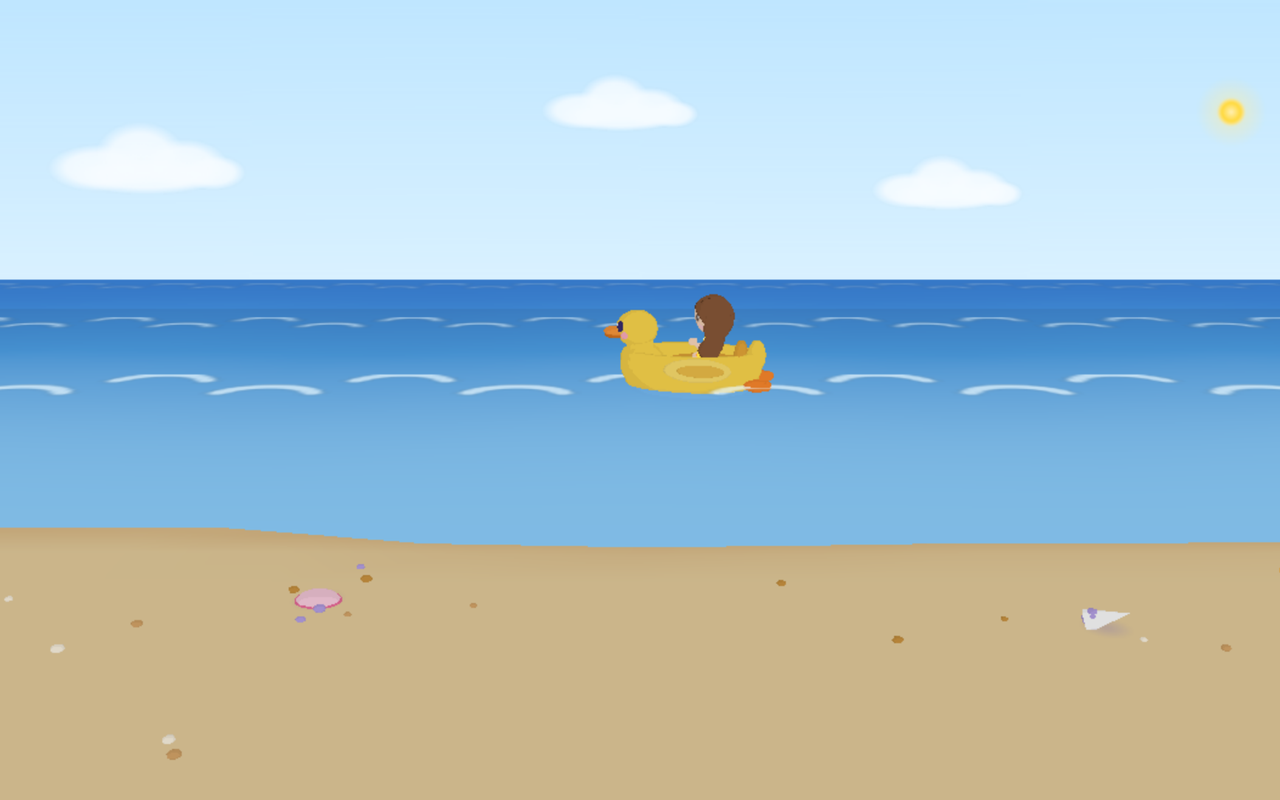
A little yellow duck boat waits at the water's edge. Lily climbs in, paddles, steers and hops back out, leaving a small wake behind her. It's the calmest thing on the beach and a favourite for the youngest players.
Catch with friends
Lily's friends come to the beach too, and they play catch with the beach ball.
Sandcastles
The beach also has a plot of sand for building. The sandcastle builder has its own page, and whatever your child builds stays on the beach for the next visit.
Controls in short
- Touch: press and hold to swim, drag to steer, tap or hold to catch a wave.
- Mouse: the same with the left button; the Space key catches waves.
- Zoom: the view can be zoomed in and out by hand to see Lily up close or the whole bay.
Good to know
- The beach is real-time 3D (WebGL). It runs in any modern browser, and the models load once from this site the first time you open the beach.
- There are no timers, scores or ways to lose at the beach — nobody drowns, nothing chases anyone.
- If Lily's energy is low, the game suggests a snack first; see the kitchen.